Messages, email and SMS
Where to find every email and SMS TimeToBook has sent to your clients, plus what gets sent automatically.
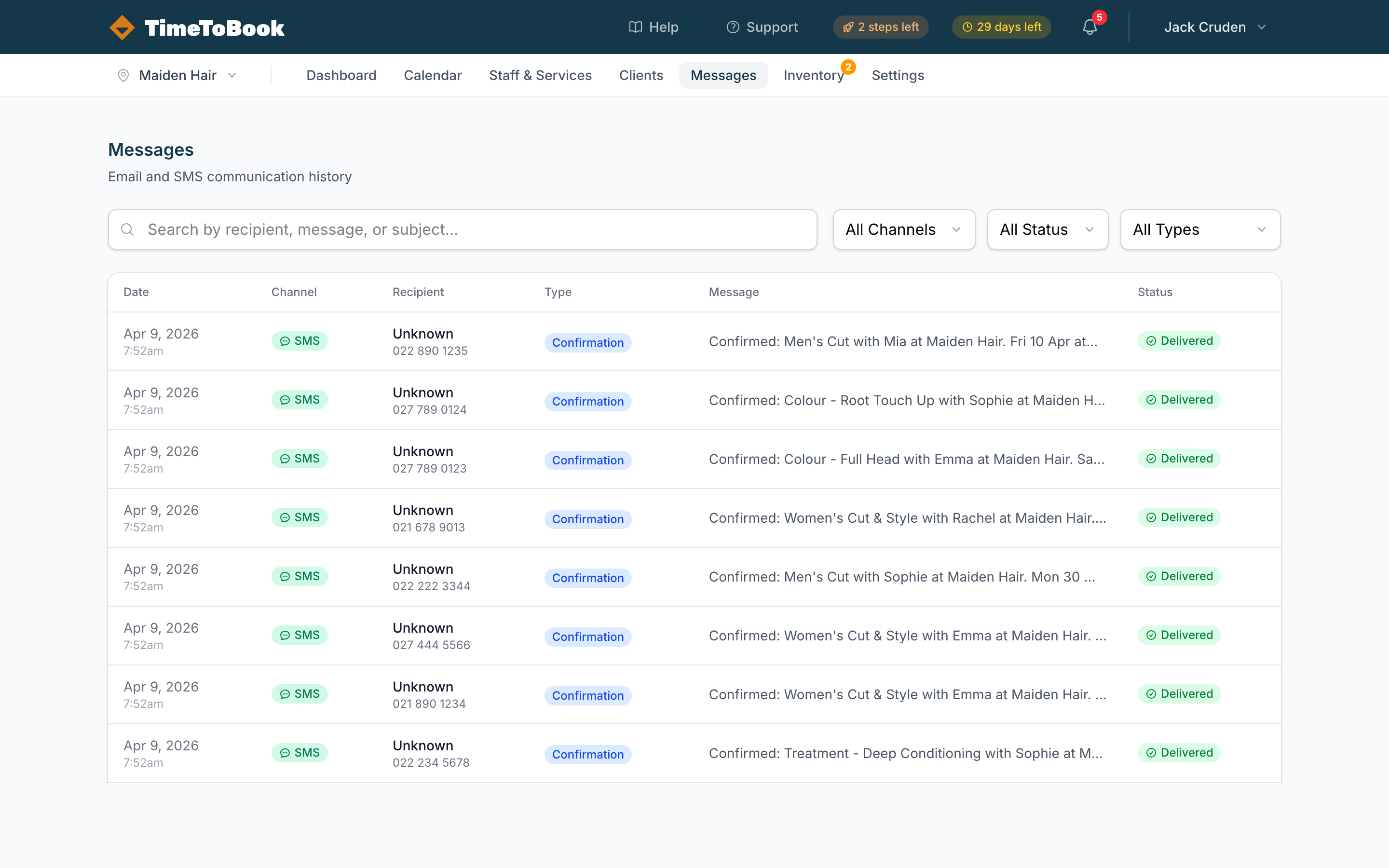
The Messages page is a log of every email and SMS TimeToBook has sent to your clients. Use it to check whether a reminder landed, debug a delivery issue, or just see what your clients received.
What gets sent automatically
Email is on by default. SMS only sends if you have credits on your account — if you don't, the SMS rows below are simply skipped.
| Trigger | Channel | Recipient | When |
|---|---|---|---|
| New booking | Client | Immediately | |
| New booking | SMS | Client | Immediately (credits required) |
| New booking | SMS | Location | Immediately (credits required, if enabled) |
| Appointment reminder | Client | 24 hours before the start time | |
| Appointment reminder | SMS | Client | 24 hours before (credits required) |
| Booking cancelled | Client | Immediately | |
| Booking rescheduled | Client | Immediately |
Filtering the list
The Messages page has three filters:
- All Channels — SMS, Email, or both.
- All Status — Queued, Sent, Delivered, Failed.
- All Types — Confirmation, Reminder, Cancellation, etc.
The search box at the top lets you find messages by recipient, body text, or subject.
Delivery status
Each row shows a status:
- Queued — handed off to the provider, awaiting send.
- Sent — the provider accepted the message.
- Delivered — the recipient's phone or inbox confirmed receipt (SMS only, when the carrier reports back).
- Failed — something went wrong. Click the row to see why.
If a message is stuck on Queued for more than a few minutes, contact support.
SMS credits
SMS isn't free — each message costs a few cents, and that cost comes out of your SMS credit balance. When you run low, top up from Settings → Billing.
Credits never expire, and unused credits carry over from month to month. SMS is not included in the free Solo plan or the trial — buy a credit pack at any time to enable it. See Billing and trials for pack prices.
Opt-outs and replies
If a client replies STOP to an SMS, they're opted out — TimeToBook won't send them further SMS until they opt back in. They'll still receive emails, just not SMS.
Replies to booking SMS (like C to cancel) are processed automatically and update the booking on your calendar.
Still stuck?
Our support team is ready to help.