Inventory tracking
Track salon stock — products, retail items, and consumables — with low-stock alerts you'll actually notice.
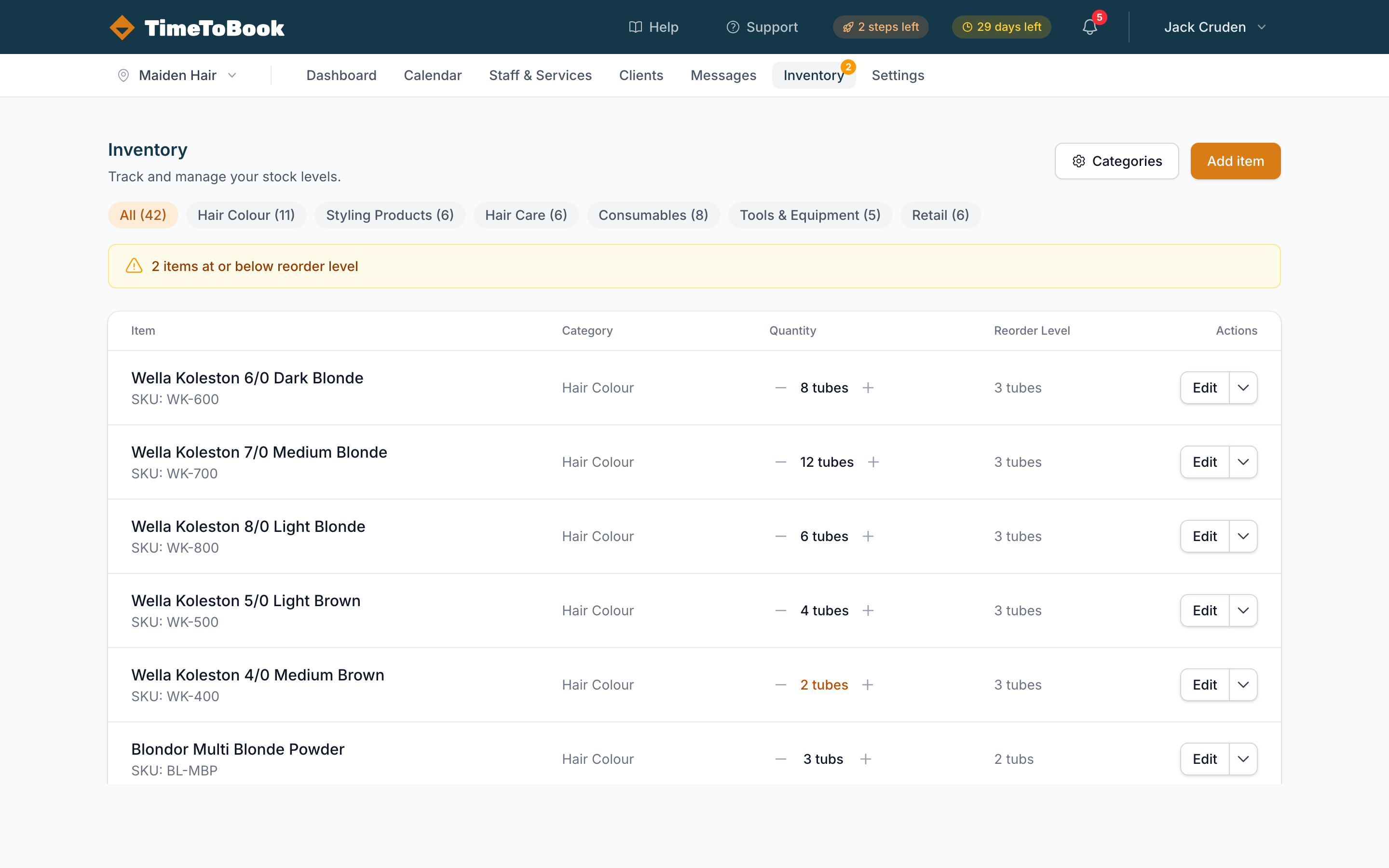
The Inventory page tracks stock for anything you sell or use in the salon — retail products, colour tubes, shampoo, towels, toothbrushes, whatever. It's optional and off by default: use it if you want, ignore it if you don't.
Categories first
Before adding items, create a few categories to group them. Typical examples:
- Retail — things you sell to clients.
- Colour — tubes, developers, bleach.
- Back bar — shampoos, conditioners, treatments.
- Consumables — foils, gloves, capes.
You can edit or add categories from the dropdown on the Inventory page header.
Adding an item
Click Add item and fill in:
- Name — what you call it day-to-day.
- Category — pick from the ones you created.
- Current stock — how many you have right now.
- Low stock threshold — trigger an alert when stock hits this number.
- Cost price — what you paid (optional, used for margin reporting).
- Retail price — what you sell it for (optional, used for sales reporting).
- Notes — anything else worth remembering (supplier, SKU, fridge shelf).
Low-stock badge
When any item drops to or below its threshold, an amber badge appears on the Inventory link in the top nav showing the count of low-stock items. Click through to see which ones need reordering.
The badge updates in real time as stock moves — no page refresh needed.
Adjusting stock
Open any item and use the stock adjustment form to log a change:
- Received — added to stock (delivery, restock).
- Used — removed from stock (applied during a service, retail sale).
- Adjusted — a manual correction (stocktake, spillage, loss).
Every adjustment is logged with a date, quantity, and optional note — so you have a full audit trail of where stock went.
Tips
- Start small. Track just retail items for the first month, then expand to colour if you find it useful.
- Set realistic thresholds. The badge should nudge you, not scream at you. Use "enough for a week" as your threshold, not "one left".
- Do a monthly stocktake. Reset counts once a month so discrepancies don't compound.
Still stuck?
Our support team is ready to help.