Managing clients
How the client list works, adding clients manually, and what gets captured automatically from online bookings.
Every booking — whether you make it or a client makes it — creates a record in your Clients list. Over time this becomes your CRM: who they are, how to reach them, and when they last came in.
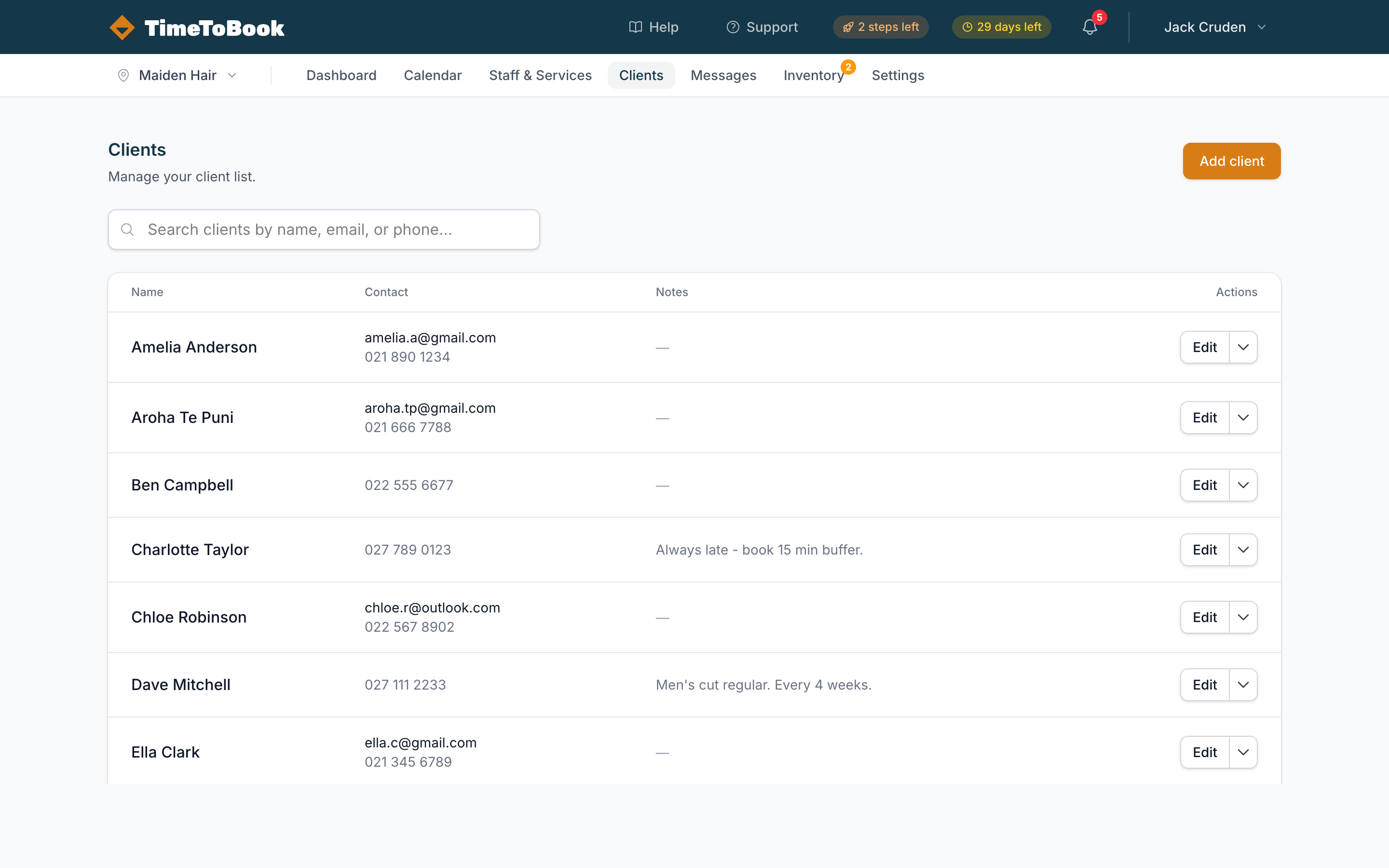
The list view
Open Clients in the top nav. You'll see every client for the current location with their name, contact details, notes, and an Edit action.
Use the search box to filter by name, email, or phone. Results update as you type.
Adding a client manually
Click Add client (top right). Fill in:
- Name — required.
- Email — used for booking confirmations.
- Phone — used for SMS reminders. Enter in international format or just a local number and we'll handle the country code.
- Notes — anything that helps you prepare. Allergies, colour formula, favourite tea, whatever.
Automatic client creation
You don't need to add clients manually for the common case. When someone books through your public page, TimeToBook:
- Checks if a client with the same email or phone already exists.
- If yes, attaches the booking to that existing client.
- If no, creates a new client record on the spot.
This means your client list grows itself as bookings come in.
Client profiles
Click any row to open the client profile. You'll see:
- Contact details (and an Edit button to update them).
- Upcoming bookings — so you can see what's on the calendar for them.
- Booking history — every past booking with service, date, staff, and status.
- Notes — a plain-text field for anything you want to remember.
- No-show count — automatic, based on bookings marked
no_show.
Privacy and ownership
Clients belong to a location. If you run multiple locations, each has its own client list — they are not shared across locations, even if the same person books at both. This keeps data clean and avoids confusion about who owns which relationship.
Tips
- Keep notes short and scannable. "Wants ash blonde, no warmth" beats a paragraph.
- Phone numbers matter. Clients with a phone get SMS reminders, and SMS reminders cut no-shows dramatically.
- Don't stress about duplicates. If you spot two profiles for the same person, open both, copy notes across, and delete one.
Still stuck?
Our support team is ready to help.