The Dashboard
How to read the Dashboard — today's schedule, revenue, new clients, no-show rate, and quick actions.
The Dashboard is the first screen you see after signing in. It's designed to answer the three questions every salon owner has when they sit down at the front desk: what's on today, how's business going, and is there anything I need to deal with?
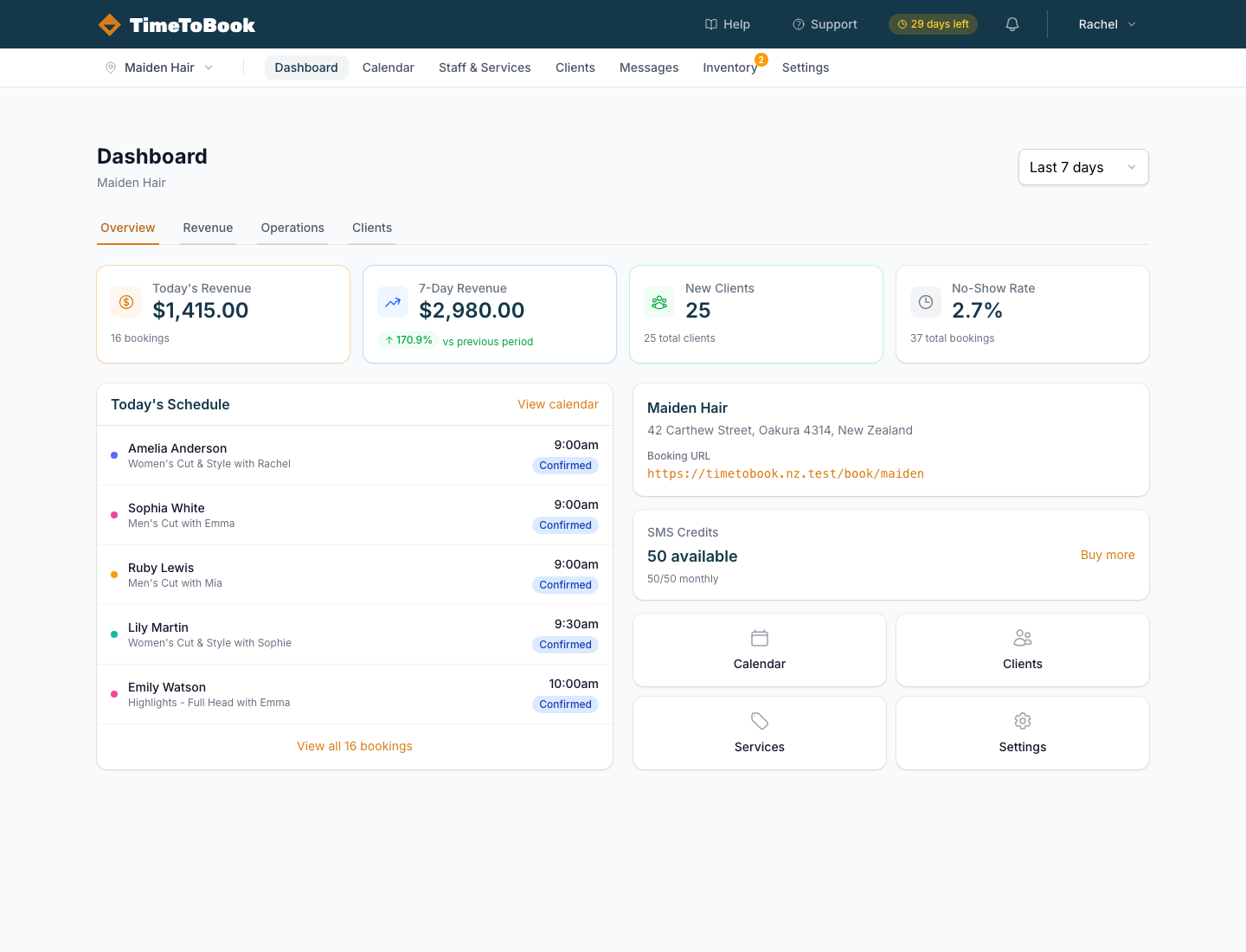
Stat cards
The four cards at the top give you the fast answer:
- Today's Revenue — the sum of booked services happening today.
- 7‑Day Revenue — rolling total for the last seven days, with a comparison against the previous week.
- New Clients — first-time visitors in the selected period.
- No‑Show Rate — the percentage of bookings marked as
no_show.
Use the Last 7 days dropdown in the top-right of the Dashboard to switch between ranges (today, 7 days, 30 days).
Today's Schedule
The left panel lists every booking for today in chronological order, including the client name, service, staff member, and start time. Each row shows a coloured status pill — Confirmed, Pending, Completed, No-show, or Cancelled.
Click View calendar at the top of the list to jump straight to the full calendar.
Your booking card
The right-hand card shows your location name, address, and the booking URL your clients use. This is the URL you share on Instagram, Google, and in SMS replies. Click it to preview the page live.
Below the booking card are quick links to the main sections — Calendar, Clients, Services, and Settings — so you can jump anywhere in one click.
Tabs: Overview, Revenue, Operations, Clients
The Dashboard has four tabs:
- Overview — everything above, the default view.
- Revenue — a breakdown of income by service, staff, and day.
- Operations — booking counts, cancellations, and utilisation.
- Clients — new vs returning clients, top clients, and retention.
Switch between them to dig deeper without leaving the Dashboard.
Still stuck?
Our support team is ready to help.