Getting started with TimeToBook
A quick walk-through of the first things to set up when you claim your booking page — services, staff, hours, and your first booking.
Welcome to TimeToBook. This guide walks you through the essentials so you can start taking bookings today. Most salons are up and running in under ten minutes.
The four things to do first
- Add your services — what you sell, how long each takes, and the price. (Staff & Services)
- Set your working hours — when you're open for bookings. (Settings → Business Hours)
- Preview your booking page — see exactly what clients will see. (Dashboard)
- Share the link — put it on Instagram, Google, or in your SMS signature.
That's it. Email reminders, no-show tracking, and the client list are all on by default.
The Dashboard
After signing in you land on the Dashboard. This is home base — today's schedule on the left, your booking URL on the right, and quick links to everything else.
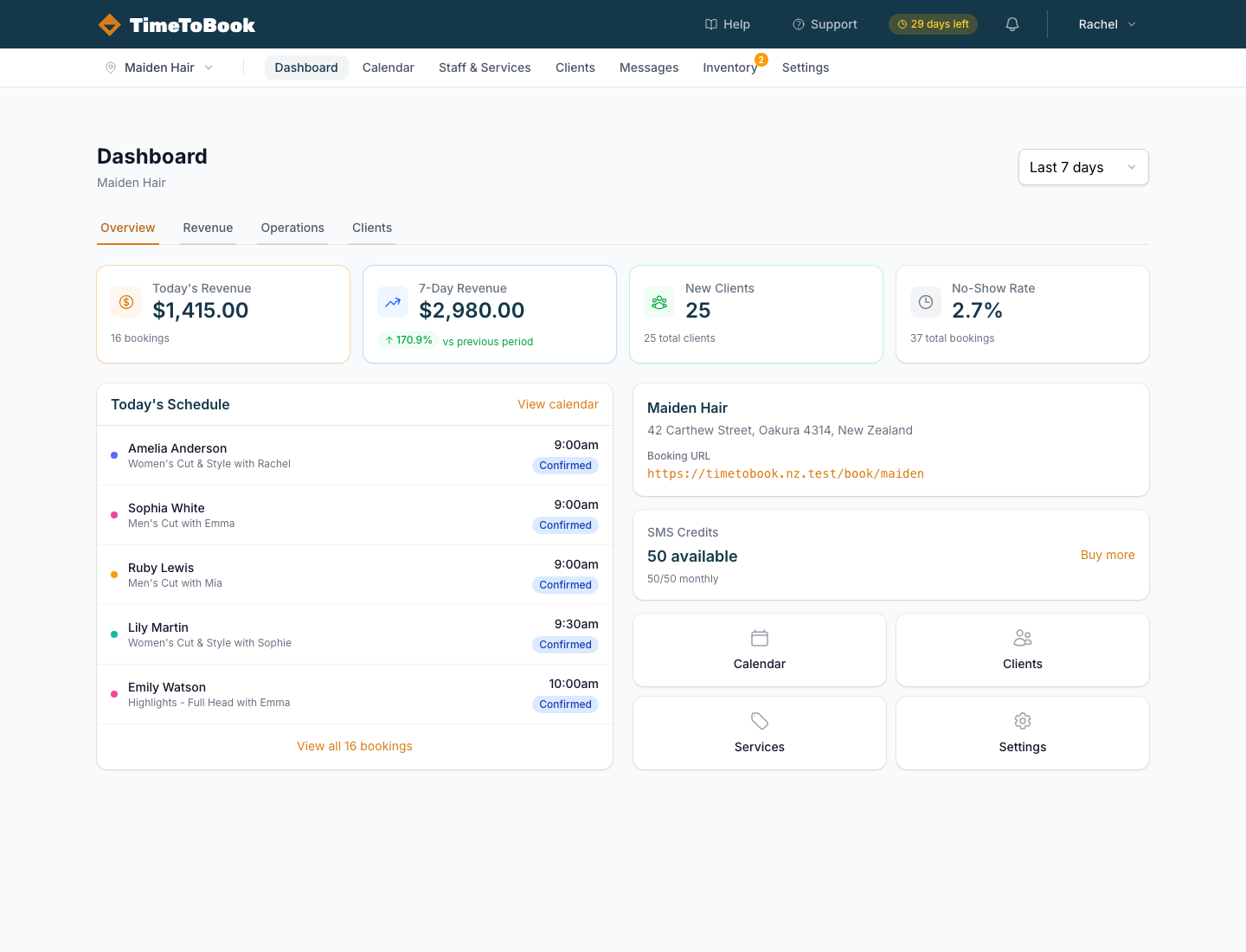
Across the top you'll find the main navigation: Dashboard, Calendar, Staff & Services, Clients, Messages, Inventory, and Settings. The Help and Support links in the top-right are always one click away.
Your booking URL
Every location has a personal booking URL that looks like this:
https://timetobook.app/your-salon-slug
You'll see your exact URL on the Dashboard under Booking URL. Share this anywhere you'd normally put a "Book now" button — Instagram bio, Google Business profile, your website, even your email signature.
Next steps
- Set up your services — add what you offer, durations, and prices.
- Add staff members — solo? You're already set.
- Understand the calendar — how the day, week, and bookings work.
- Customise your booking page — what your clients see.
If you get stuck at any point, hit Support in the top nav and we'll usually reply within a few hours.
Still stuck?
Our support team is ready to help.